n8n connects your tools to each other: an order comes in, a message goes out on your messaging app, a row is added to your spreadsheet, an AI agent prepares the reply. Installed on your own SaharaCloud VPS, n8n runs continuously, your workflows and credentials stay on your server, and you pay for the server in dinars.
This guide repeats the commands we ran on 22 October 2026 on a Découverte VPS (Ubuntu 24.04, Docker 29.9, n8n 2.44.6): installation, automatic HTTPS, first webhook, server restart and update.
Would you rather not administer a server? With Pro or Business hosting, n8n installs in one click from your panel.
What you need
- A SaharaCloud VPS running Ubuntu 24.04. The Découverte VPS (2 vCPU, 4 GB of RAM) is enough to start: during our test, n8n used about 500 MB of memory. See the VPS.
- Root SSH access to your VPS. If this is your first connection, first follow our guide on secure SSH connection (in French).
- A domain name for n8n’s address, for example
n8n.yourdomain.com. HTTPS is required for the editor and for webhooks. Search for a domain.
Point a subdomain to your VPS
In your domain’s DNS zone, create an A record:
| Type | Name | Value |
|---|---|---|
| A | n8n |
your VPS’s IPv4 address |
If your domain is with SaharaCloud, the DNS zone is managed from your client area. If you have enabled the VPS firewall in your client area, allow incoming TCP ports 22, 80 and 443: port 80 is used to obtain the HTTPS certificate.
Install Docker
Signed in as root, add Docker’s official repository, then install Docker Engine and Docker Compose:
apt update
apt install -y ca-certificates curl
install -m 0755 -d /etc/apt/keyrings
curl -fsSL https://download.docker.com/linux/ubuntu/gpg -o /etc/apt/keyrings/docker.asc
chmod a+r /etc/apt/keyrings/docker.asc
tee /etc/apt/sources.list.d/docker.sources <<EOF
Types: deb
URIs: https://download.docker.com/linux/ubuntu
Suites: $(. /etc/os-release && echo "${UBUNTU_CODENAME:-$VERSION_CODENAME}")
Components: stable
Architectures: $(dpkg --print-architecture)
Signed-By: /etc/apt/keyrings/docker.asc
EOF
apt update
apt install -y docker-ce docker-ce-cli containerd.io docker-buildx-plugin docker-compose-plugin
Check the installation:
docker --version
docker compose version
Prepare n8n
Create a folder for n8n and its settings file:
mkdir n8n-compose
cd n8n-compose
mkdir local-files
nano .env
Paste these lines, replacing the domain and the e-mail address with yours:
DOMAIN_NAME=yourdomain.com
SUBDOMAIN=n8n
GENERIC_TIMEZONE=Africa/Algiers
SSL_EMAIL=you@yourdomain.com
Then create the compose.yaml file with nano compose.yaml and paste this content. It starts n8n and Traefik, which obtains and renews the HTTPS certificate:
services:
  traefik:
    image: "traefik"
    restart: always
    command:
      - "--providers.docker=true"
      - "--providers.docker.exposedbydefault=false"
      - "--entrypoints.web.address=:80"
      - "--entrypoints.web.http.redirections.entryPoint.to=websecure"
      - "--entrypoints.web.http.redirections.entrypoint.scheme=https"
      - "--entrypoints.websecure.address=:443"
      - "--certificatesresolvers.mytlschallenge.acme.tlschallenge=true"
      - "--certificatesresolvers.mytlschallenge.acme.email=${SSL_EMAIL}"
      - "--certificatesresolvers.mytlschallenge.acme.storage=/letsencrypt/acme.json"
    ports:
      - "80:80"
      - "443:443"
    volumes:
      - traefik_data:/letsencrypt
      - /var/run/docker.sock:/var/run/docker.sock:ro

  n8n:
    image: n8nio/n8n
    restart: always
    ports:
      - "127.0.0.1:5678:5678"
    labels:
      - traefik.enable=true
      - traefik.http.routers.n8n.rule=Host(`${SUBDOMAIN}.${DOMAIN_NAME}`)
      - traefik.http.routers.n8n.tls=true
      - traefik.http.routers.n8n.entrypoints=web,websecure
      - traefik.http.routers.n8n.tls.certresolver=mytlschallenge
      - traefik.http.middlewares.n8n.headers.SSLRedirect=true
      - traefik.http.middlewares.n8n.headers.STSSeconds=315360000
      - traefik.http.middlewares.n8n.headers.browserXSSFilter=true
      - traefik.http.middlewares.n8n.headers.contentTypeNosniff=true
      - traefik.http.middlewares.n8n.headers.forceSTSHeader=true
      - traefik.http.middlewares.n8n.headers.SSLHost=${DOMAIN_NAME}
      - traefik.http.middlewares.n8n.headers.STSIncludeSubdomains=true
      - traefik.http.middlewares.n8n.headers.STSPreload=true
      - traefik.http.routers.n8n.middlewares=n8n@docker
    environment:
      - N8N_ENFORCE_SETTINGS_FILE_PERMISSIONS=true
      - N8N_HOST=${SUBDOMAIN}.${DOMAIN_NAME}
      - N8N_PORT=5678
      - N8N_PROTOCOL=https
      - NODE_ENV=production
      - N8N_WEBHOOK_URL=https://${SUBDOMAIN}.${DOMAIN_NAME}/
      - GENERIC_TIMEZONE=${GENERIC_TIMEZONE}
      - TZ=${GENERIC_TIMEZONE}
      - N8N_RESTRICT_FILE_ACCESS_TO=/files
    volumes:
      - n8n_data:/home/node/.n8n
      - ./local-files:/files

volumes:
  n8n_data:
  traefik_data:
This file follows the one in the official n8n documentation, without the option that opens the Traefik dashboard without a password. n8n only listens on 127.0.0.1: only Traefik, over HTTPS, can be reached from the internet.
Start n8n and create your account
docker compose up -d
docker compose ps
After about a minute, open https://n8n.yourdomain.com. The HTTPS certificate is obtained automatically and the http:// address redirects to https://.
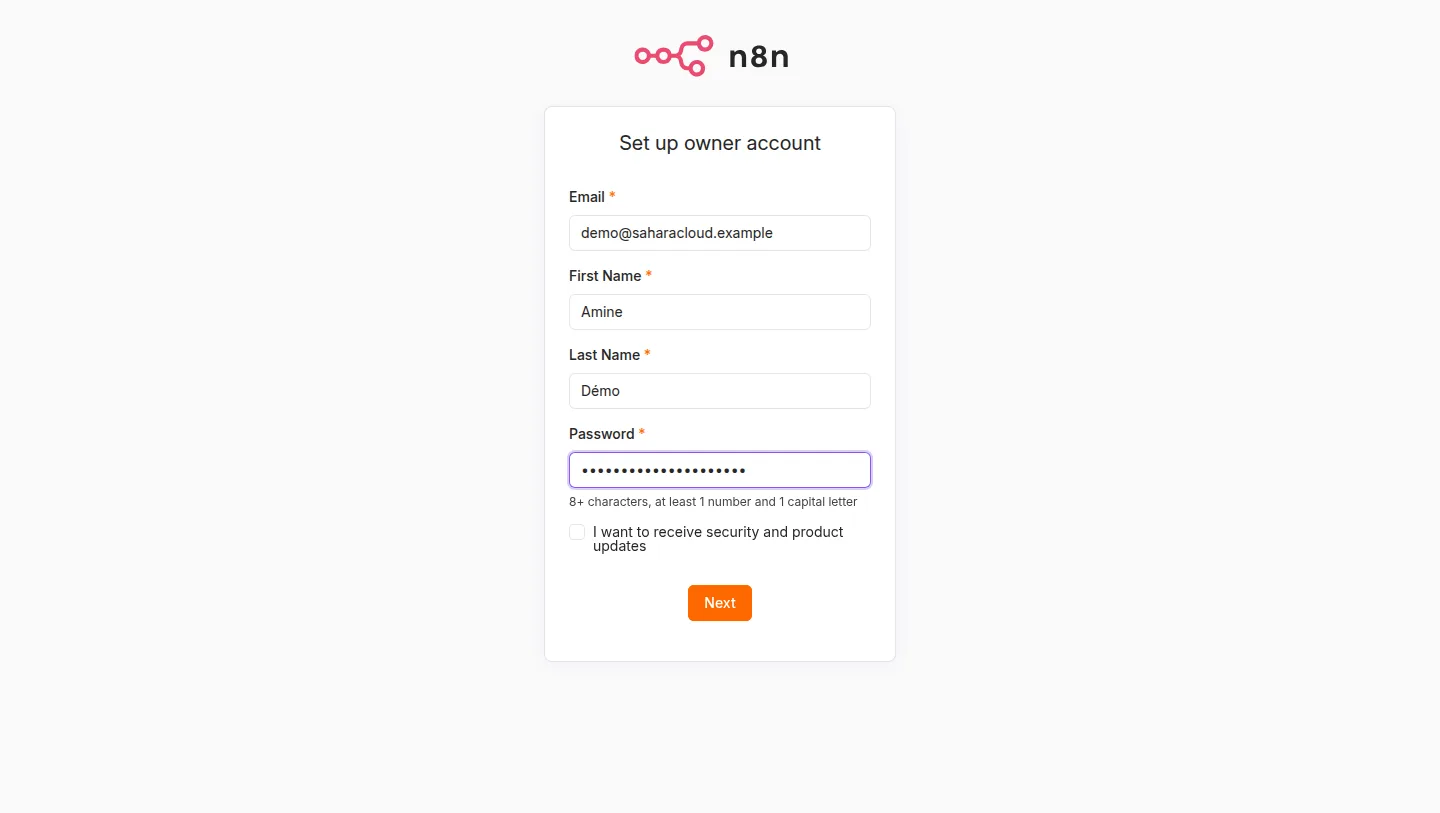
Create the owner account immediately. Until it exists, the first person who opens the address can create it in your place.
Your first workflow and its webhooks
In the editor, add a Webhook node, then the actions to chain. Once the workflow is published, its production address looks like https://n8n.yourdomain.com/webhook/your-path: you can give it to your shop, a form or another service.
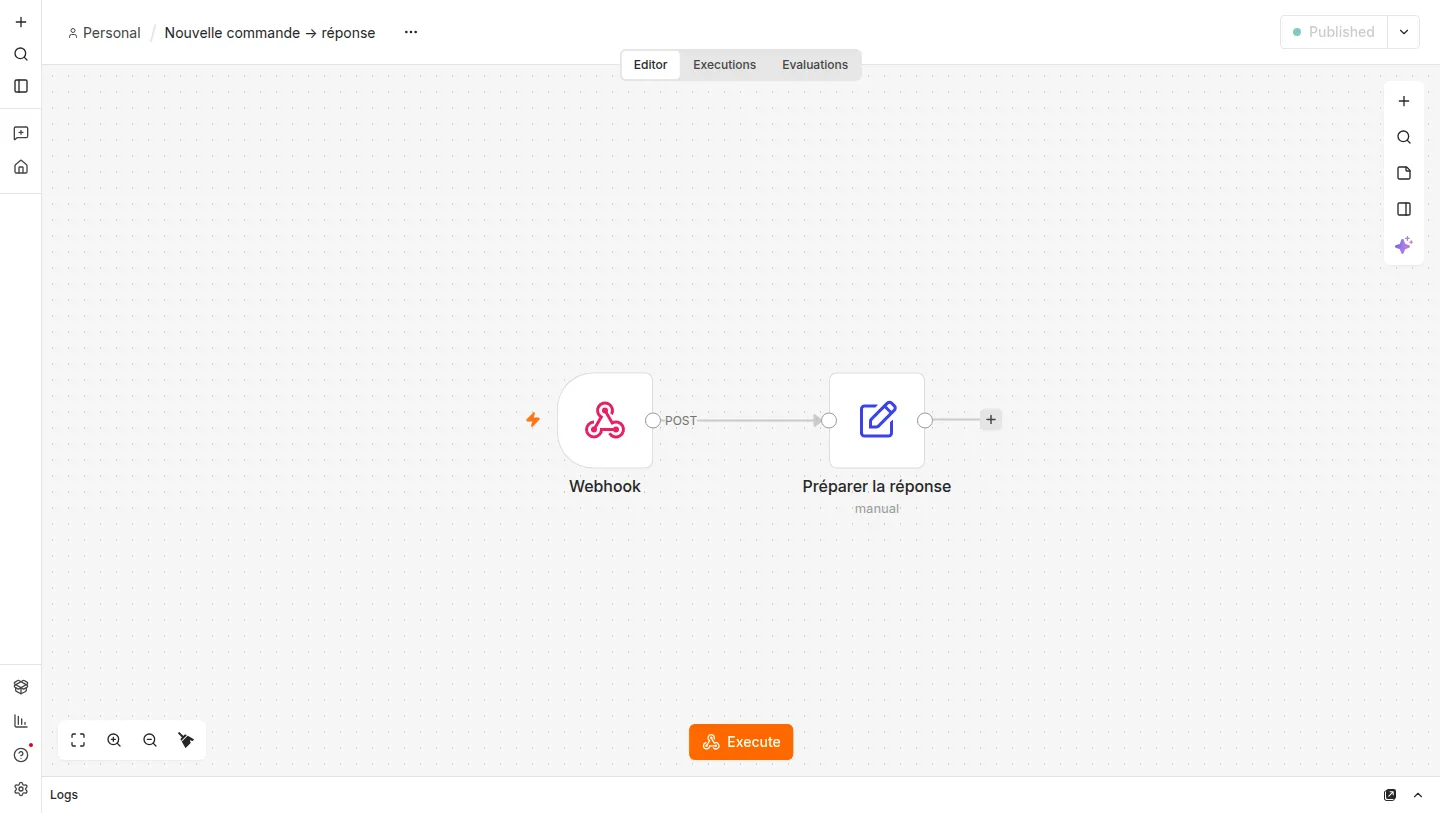
In our test, this workflow answered from outside, on Algiers time:
curl -X POST https://n8n.yourdomain.com/webhook/nouvelle-commande \
  -H "Content-Type: application/json" -d '{"produit":"Sahara Pro"}'
Restarts, updates and backups
- Server restart: n8n and Traefik start again on their own thanks to
restart: always. We checked this after a complete restart of the VPS. - Updating n8n: before an update, create a snapshot of the VPS from your client area. Then, in the
n8n-composefolder:
docker compose pull
docker compose up -d
- Your data (workflows, encrypted credentials, encryption key) is in the
n8n_dataDocker volume. It is kept through adocker compose downthenup. Do not delete this volume. - Backups: VPS snapshots are created on demand. Take one before every important change.
Security: good habits
- Keep port
5678bound to127.0.0.1, as in the file above. - Docker publishes its ports without going through the server’s
ufwrules, as the Docker documentation explains. To filter traffic, use the VPS firewall in your client area instead. - Update Ubuntu regularly with
apt update && apt upgrade. - Choose a strong password for the n8n owner account and do not share root access.
The self-hosted edition of n8n is published under the Sustainable Use License. It covers use for your own business: read it if you plan to offer n8n to your clients.
What if you also want an AI assistant?
The same VPS can host OpenClaw, an open-source AI assistant that you host yourself. During our test, n8n and OpenClaw ran together on a Découverte VPS. Host OpenClaw.