Prepare the information that matters
Gather your business name, your service area, your services, your contact details and the photos you have the right to use. Decide on the main action you expect: calling, requesting a quote or browsing a catalogue.
Sahara AI is included in eligible hosting plans. Creation requires an active hosting plan and uses credits; check the plan’s allowances and limits before starting. Sign in from your SaharaCloud area and open Sahara AI.
Describe the website, then adjust one thing at a time
On the creation screen, describe your business, your pages, your audience and the website’s language. The message below is a starting point, not a guarantee of the first result.
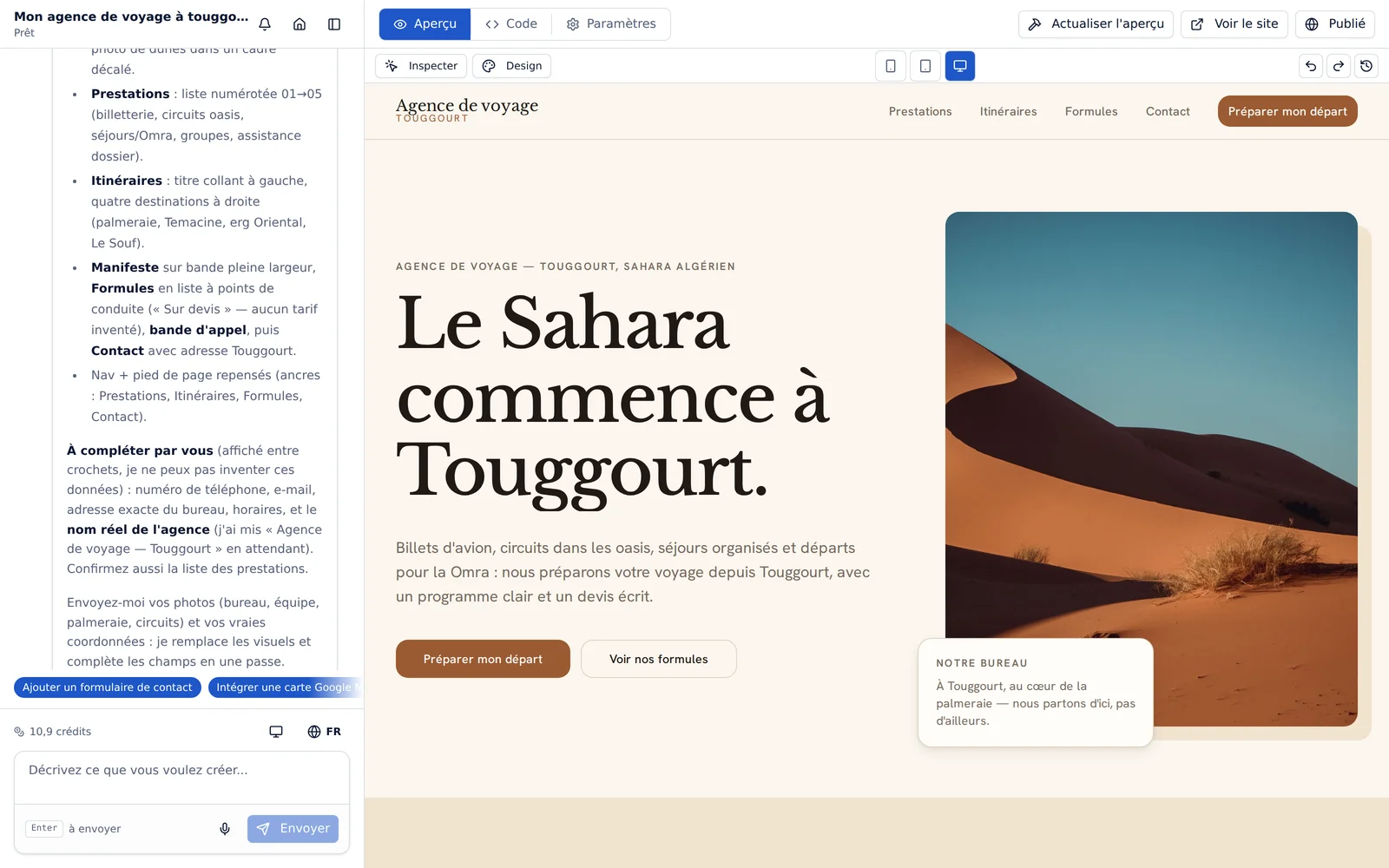
Look at the preview. Then ask for a precise change: shorten the title, reorganise the services or make the contact more visible. Review each result before continuing; this also helps you manage your credit use.
Check the content and the mobile journey
Replace all demonstration content. Check the prices, opening hours, contact details and image rights. Try every link and every button at mobile width, then on a computer.
A form drawn on the screen does not prove that requests are stored or sent. Test how it really works and that messages are received. If your project must keep data, read the application and Supabase guide.
Publish on the right domain
Open publication from Sahara AI, choose an active hosting plan and the target domain in your account, then check this target before starting the deployment. If this domain already serves a website, check what the publication will replace.
After the deployment, open the public address and check the pages and contacts again. A domain or an HTTPS certificate still being configured may need extra checks: the preview and the public website are two different addresses.
Prepare the published website for search engines
Give each page a precise title and content that is useful to your customers. Present your business and your service area clearly, without artificially repeating the same words. Check that the public website can be crawled and that it does not keep a development noindex instruction.
Search visibility concerns the domain of the website you created: publishing with Sahara AI does not make it appear on Google automatically. Add your own domain to Search Console to follow its discovery, its indexing and the searches that bring visitors.